工具介绍
通过高性能、低级别、类似画布的 API 在终端中操作 Cursor
terminal-canvas
Manipulate the cursor in your terminal via high-performant, low-level, canvas-like API.
Entirely written with TypeScript, terminal-canvas exposes features that you can use for rendering in terminal. High-performance algorithms and optimizations allow to render only cells which have been changed. Just look at the demo videos below to see, what you can do with terminal-canvas :smiley:
Demo
| Touhou - Bad Apple (ASCII Art) | Touhou - Bad Apple (Colorful Edition) | Doom (Colorful Edition) |
|---|---|---|
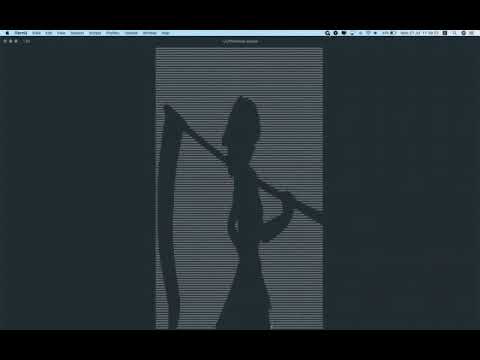 |
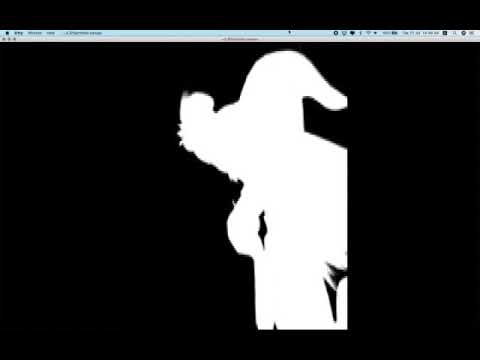 |
 |
Getting Started
Install it via npm:
npm install terminal-canvasInclude in your project:
const Canvas = require('terminal-canvas');
const canvas = new Canvas();

canvas.moveTo(10, 10).write('Hello, world').flush();
Examples
A lot of examples are available to you here
API Reference
API Reference is accessible here
How terminal-canvas works
Control Sequences
terminal-canvas uses VT100 compatible control sequences to manipulate the cursor in the terminal.
You can find a lot of useful information about that here:
- Terminal codes (ANSI/VT100) introduction
- ANSI/VT100 Terminal Control Escape Sequences
- Colors and formatting (ANSI/VT100 Control sequences)
- Xterm Control Sequences
- CONSOLE_CODES (man page)
The next thing which terminal-canvas does is wrap those control codes, so you are able to call JavaScript methods.
Virtual Terminal
The first releases of the terminal-canvas (which was kittik-cursor) were based on real-time updating terminal cursor, when you are calling some method on the canvas.
This caused performance issues. So I decided to create my own wrapper around terminal cells.
Each real cell in the terminal has a wrapper (class Cell in the src folder). The main problem, which Cell resolves, is to render each cell independently from another cells. So I can grab any cell at any coordinate and render it independently from others.
It works the following way. Each Cell has style settings and position in the real terminal. When you are converting Cell to the control sequences, it concatenates the following sequences:
- Convert cell position to control sequence
- Convert foreground and background color to control sequence
- Convert display settings to control sequences
- Pre-pend the cell char with sequences above
- Reset all display settings to default
That way, each cell wrapped in own control sequences that can be flushed at any moment.
Difference between two frames
The last thing I did, was update only cells that really changed.
The algorithm is simple.
When you are writing to the canvas, all write operations mark virtual cells as modified cells. After some time, you decide to flush changes. When flush() method is called it does 2 things:
- Iterate through all cells and find only cells with modified marker;
- Convert modified cell to control sequence and compare that sequence with the sequence that was used at the previous frame;
- If they are not equal, store new control sequence and write to stream, otherwise, ignore it
That's how I made it possible to render videos in the terminal at 30 FPS.
BTW, if I remove Throttle stream, I'm getting 120 FPS :smiley:
License
Issues· 0 开放
暂无开放 Issues,或尚未同步最近议题。