Incorrect table cell border
Author: artembrizinskijCreated May 12, 2022Updated Dec 27, 2022
wkhtmltopdf version(s) affected: 0.12.6 OS information Windows 10 Home
Description I'm trying to set borders for a table cell, but for some reason the top border goes beyond the cell.
How to reproduce source.html
This is what it looks like after conversion:
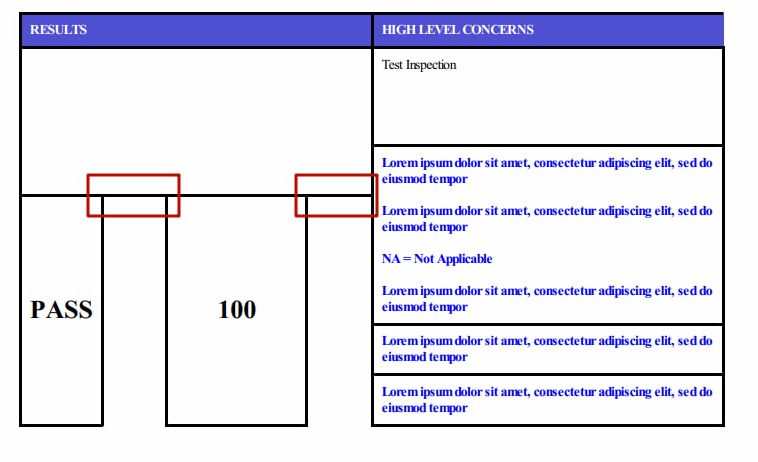
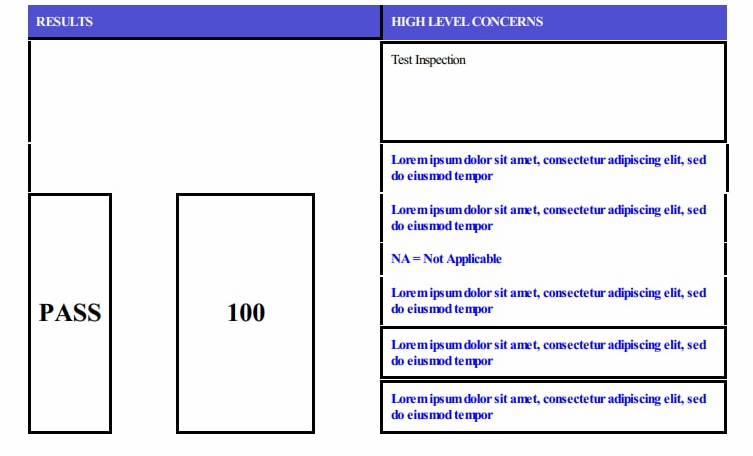
If I remove border-collapse:collapse from the table, the border of this cell is drawn as it should be
But this way doesn't work for me, because the drawing of other cells also changes:
The only workaround I can find (using tables) is to swap the cells, then the borders start to be drawn correctly: from
            <tr>
                <td rowspan=5 style='padding:10px;width:10%;text-align:center;border:3px solid black;'><h1>PASS</h1></div></td>
		<td rowspan=5 style='padding:10px;'></td>
                <td rowspan=5 style='padding:10px;border:3px solid black;width:20%;text-align:center'><h1>100</h1></td>
		<td rowspan=5 style='padding:10px'></td>
                <td style='font-weight:bolder;padding:10px;border-left:3px solid black;border-right:3px solid black;color:blue;width:50%'>Lorem ipsum dolor sit amet, consectetur adipiscing elit, sed do eiusmod tempor</td>
            </tr>
to
            <tr>
                <td rowspan=5 style='padding:10px; border-left:3px solid black;'></td>
                <td rowspan=5 style='padding:10px;width:10%;text-align:center;border:3px solid black;'><h1>PASS</h1></div></td>
                <td rowspan=5 style='padding:10px'></td>
                <td rowspan=5 style='padding:10px;border:3px solid black;width:20%;text-align:center'><h1>100</h1></td>
                <td style='font-weight:bolder;padding:10px;border-left:3px solid black;border-right:3px solid black;color:blue;width:50%'>Lorem ipsum dolor sit amet, consectetur adipiscing elit, sed do eiusmod tempor</td>
            </tr>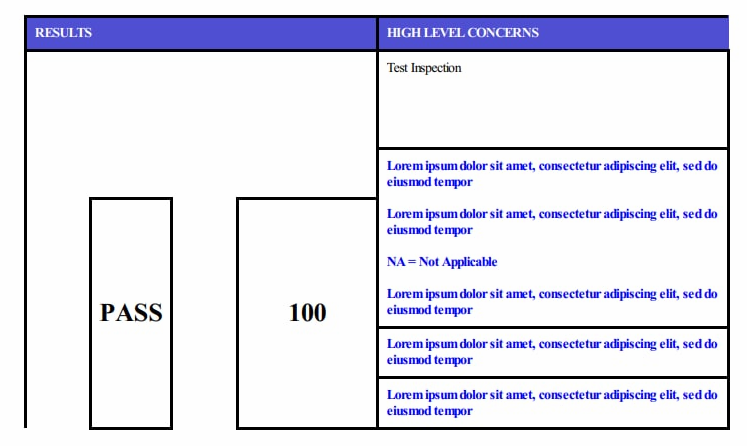
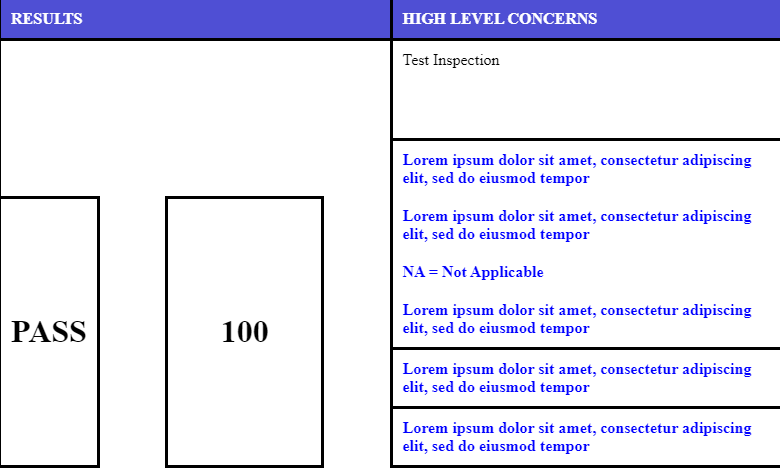
Expected behavior
I expect that the right block can be placed first and its border-top will not extend to all neighboring cells:
Source: wkhtmltopdf/wkhtmltopdf