# how2: AI for your Terminal
how2 finds the simplest way to do something in a unix shell.
It's like `man`, but you can query it in natural language. It uses a mix of AI code-completion and StackOverflow search.
It effectively replaces Chrome => New Tab => Google => Click on StackOverflow => Scroll Down to first answer.
Go to [how2terminal.com](https://how2terminal.com) for more info.
# Demo video
https://user-images.githubusercontent.com/179558/196452157-60e6b33a-116d-46f2-a441-7d0696a31452.mp4
# Install
## MacOSX (via HowBrew):
```
brew tap how2terminal/how2
brew install how2
```
## With NPM:
```
sudo npm install -g how2
```
If you install it without `sudo`, then you have to run it with `npx how2` or alias the command manually.
## Ubuntu/Debian:
[Download latest .deb](https://github.com/santinic/how2/releases/latest/) and then run:
```
wget how2terminal.com/how2.deb
sudo dpkg -i how2.deb
```
## Binaries:
[Go to the latest release](https://github.com/santinic/how2/releases/latest/) and download the binaries.
# Usage
By default, how2 uses an external AI server to find the best unix command line suggestion.
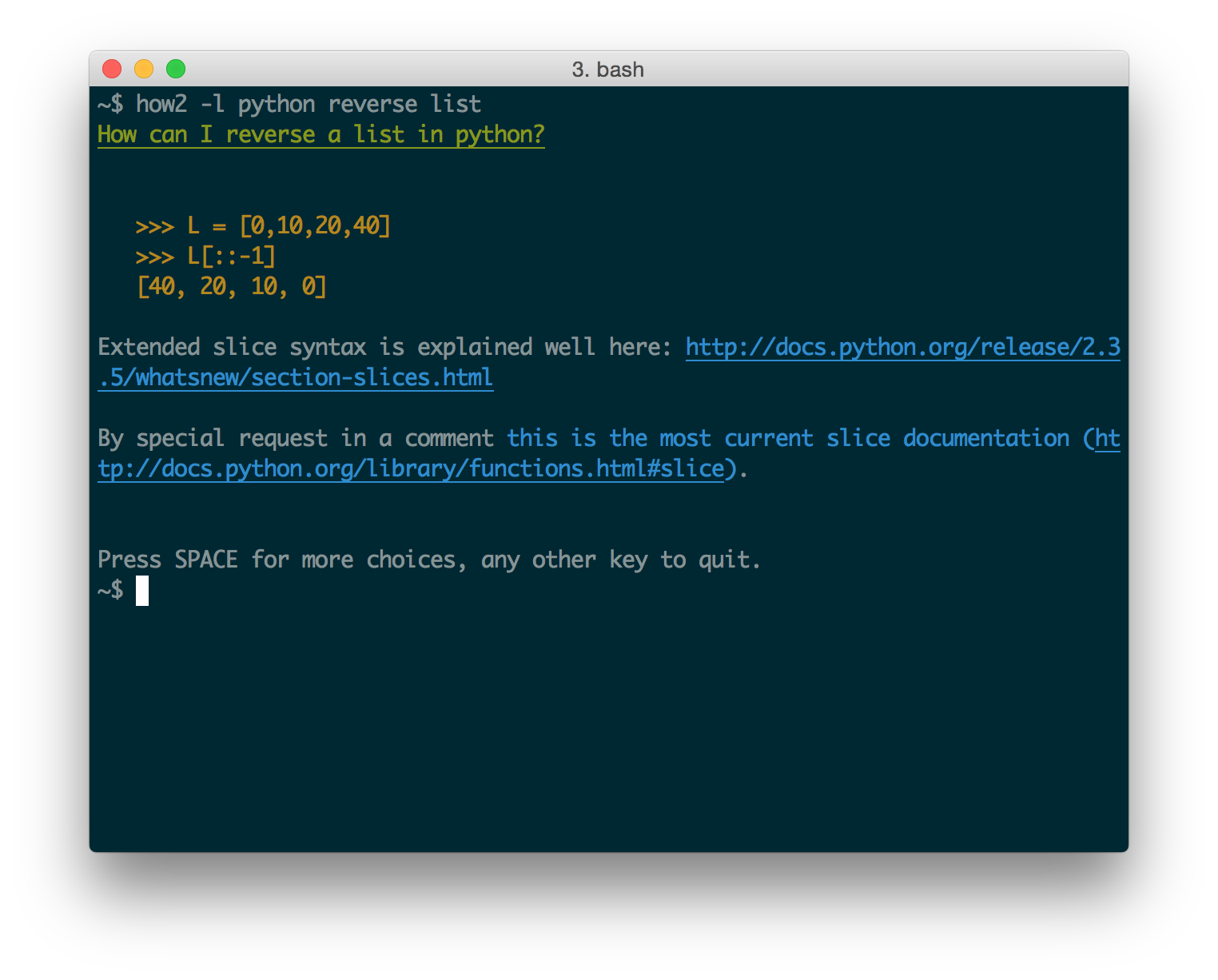
If you add the `-s` option instead, it will search StackOverflow for an answer.
After that you can press SPACE to go to the interactive mode, where you can choose a different stackoverflow question/answer.
[//]: # (You can use `-l lang` to find answers for other languages:)
[//]: # ()
## How does it work?
Behind the curtain, the API use a couple of AI code-completion models
retrained on Bash/Powershell commands.
This is just the beginning, we are working on retraining the models to focus on the Command-Line experience.
Currently, the AI mode is free for everybody up to 5 requests per day.
If you are a professional user [consider upgrading to a paid subscription](https://how2terminal.com/pricing).
## How well does it work?
It is surprisingly useful once you get used to it! I've added it to all my servers and laptops and I use it daily.
Sometimes, the model cannot find a solution and will result in unexpected output.
In that case, try rewording your input, it often takes minor changes to get to a good solution.
And, if it really doesn't work, just add `-s` to get the best answer on StackOverflow straight into
the Terminal.
## Copy-Paste with mouse
When you are in "interactive mode" (after you press SPACE), if you want to copy-paste more than one line you can:
- press "p" to just print out the selected answer (easier to copy-paste)
- use block-select: With Ubuntu try holding `Ctrl+Alt` before you select, or `Alt+Cmd` if you're in iTerm on Mac
(thanks to @danielkop for this suggestion).
## Can I use it behind Proxy ?
Yes, you need to use `HTTP_PROXY` or `HTTPS_PROXY` environment variables.
For example, you could alias the proxy settings in your `~/.bash_profile`:
`alias how2="HTTPS_PROXY='your_proxy:8888' how2"`