About
Export Zotero to a stand-alone web site
Zotsite
Create an Interactive Website from Your Zotero Library


This project exports your local Zotero library to a usable HTML website with following features:
- Easily access your papers, site snapshots, notes from a navigation tree.
- Provides metadata from collections and attachments (i.e. referenes etc).
- Display PDF papers and website snapshot (the latter as framed).
- Search function dynamically narrows down the papers you're looking for.
- Embed links to a specific collection, article, item, note etc.
- Export only a portion of your collection with regular expressions using the collection name.
- BetterBibtex integration.
- Snazzy look and feel from the latest Bootstrap CSS/Javascript library.
Table of Contents
- Documentation
- Obtaining
- Process
- Sample Site Demonstration
- Requirements
- Usage
- Screenshot
- Ubuntu and Linux Systems with Python 3.5 or Previous Version
- Attribution
- Todo
- Zotero Plugin Listing
- Changelog
- Community
- License
Documentation
See the full documentation. The API reference is also available.
Obtaining
The library can be installed with pip from the pypi repository:
pip3 install zensols.zotsiteProcess
The tool does the following:
- Exports the meta data (directory structure, references, notes, etc) from your Zotero library. On MacOS, this is done by querying the file system SQLite DB files.
- Copies a static site that enables traversal of the exported data.
- Copies your Zotero stored papers, snapshot (sites) etc.
- Generates a navigation tree to easily find your papers/content.
Sample Site Demonstration
See the live demo, which provides a variety of resources found in my own library. Note: To my knowledge, all of these resources are free to distribute and violate no laws. If I've missed one, please create an issue.
Requirements
BetterBibtex plugin for Zotero.
Usage
The library is typically used from the command line to create websites, but it can also be used as an API from Python.
Command Line
The command line program has two modes: show configuration (a good first step) and to create the web site. You can see what the program is parsing from your Zotero library:
zotsite printTo create the stand-alone site, run the program (without the angle brackets):
zotsite exportIf your library is not in the default ~/zotero directory you will need to
change that path by making a zotsite.conf config file. This will create the
html files in the directory ./zotsite:
zotsite export --collection zotsite.confA mapping of BetterBibtex citation keys to Zotero's database unique item keys can be useful to scripts:
zotsite citekey -k allThe tool also provides a means of finding where papers are by item key:
zotsite docpath -k allSee usage for more information. Command line usage as provided
with the --help option.
API
The API provides access to a Python object that creates the website, can resolve BetterBibtex citation keys to Zotero unique identifier item keys and provide paths of item attachments (such as papers).
The following example come from this working script.
…Configuration File
Either an environment variable ZOTSITERC must be set or a -c configuration
option must be given and point to a file to customize how the program works.
See the test configuration file for an example and inline comments for more
detail on how and what can be configured.
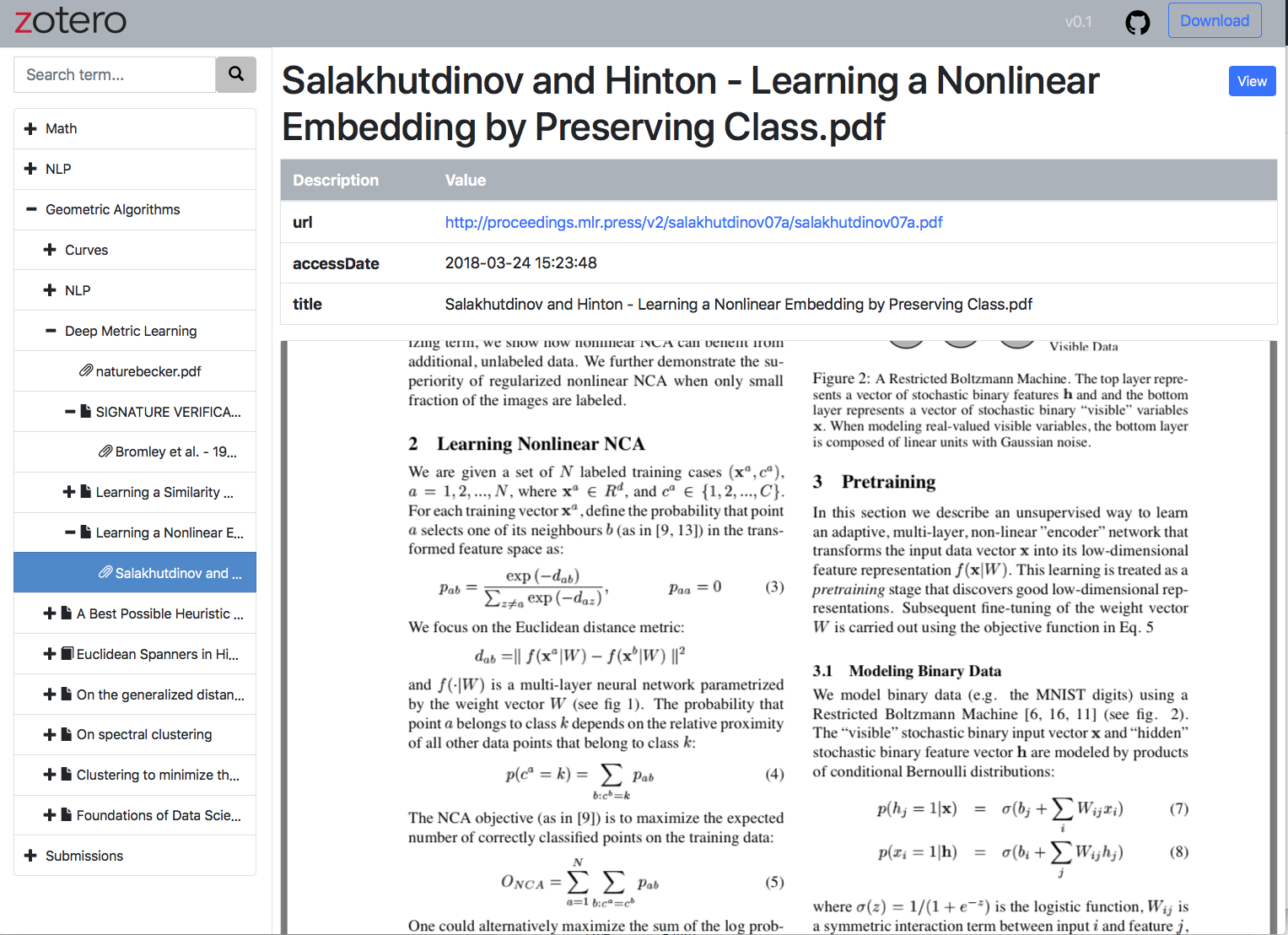
Screenshot
Also see the live demo.
Ubuntu and Linux Systems with Python 3.5 or Previous Version
Please read this issue if you are installing a Ubuntu or any Linux system with Python 3.5 or previous version.
Attribution
This software uses:
- Python 3
- jQuery version 3
- DataTables version 1.12
- Bootstrap version 4
- Tree View for Bootstrap
- Popper for tooltips
- Copy to Clipboard function
Todo
- Make the site portion a proper Javascript site. Right now, all the
mins are added in the distribution to same directory as the main navigation/content file. - Use something like zotxt to make this work with a plugin rather than directly against the SQLite DB.
Zotero Plugin Listing
This is listed as a plugin on the Zotero site.
Changelog
An extensive changelog is available here.
Community
Please star this repository and let me know how and where you use this API. Contributions as pull requests, feedback, and any input is welcome.
License
Copyright (c) 2019 - 2026 Paul Landes
Issues· 0 open
No open issues yet, or sync has not completed.