How can I make notepad++ to open and display all my files with OEM 852 encoding by default?
How can I make notepad++ to open and display all my files with OEM 852 encoding by default?
I set this default behavior in "New Document":
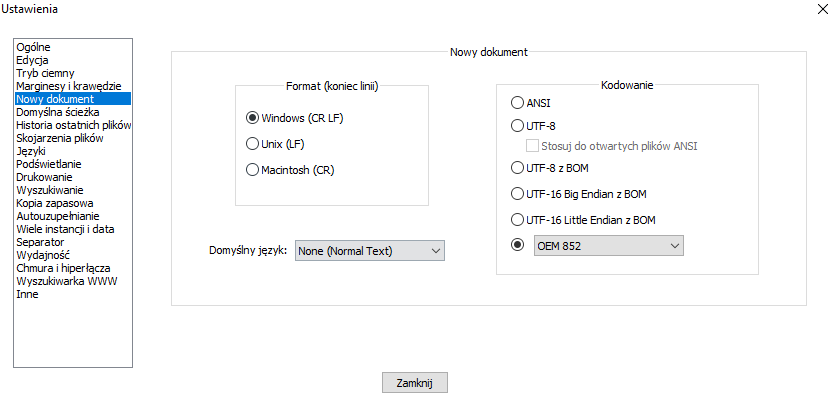
But I would also like files that were previously saved in ANSI and in other character encodings to be automatically displayed in OEM 852 encoding when opened by notepad++ for me.
Can it be done now? And if not, would you consider making it an optional option to set in the advanced section?
I would also like this option to cause that I opened everything earlier and what it saves later automatically saves files in OEM 852 encoding.
Currently, even if I have saved some file with OEM 852 character encoding on my disk + I have set to open new documents with default OEM 852, so when I play my file again it will be loaded with ANSI default encoding and my Polish characters like ś, ą, ć , ę etc. are not displayed correctly.
Each time I have to click up on Format / Charset / Central European and select OEM 852 again for me to make my Polish characters display correctly as they should from the beginning because that's how I saved my file.
ANSI:

OEM 852:
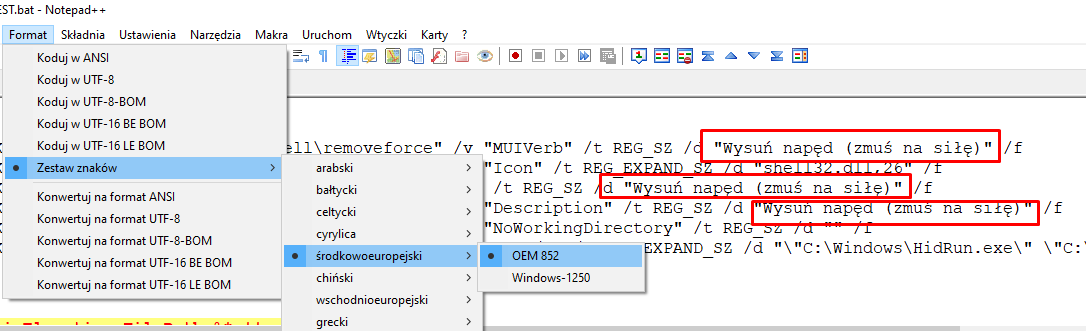
Source: notepad-plus-plus/notepad-plus-plus