Update types of TypedInput in a Node-RED event handler doesn't update.
Current Behavior
I'm developing a node where sensors can be selected from the sensors from a config node. When the user edit's the sensors in the config node and save's it, it goes back to the node settings panel. The element where the user can select it's sensors, should update after coming back.
The user can pick sensors from the Node-RED TypedInput UI element. On initialisation it works. When the config node is changed, an event handler is called and sets new type for the TypedInput.
oneditprepare: function() {
	const that = this;
	const reporter = RED.nodes.node(this.reporter);

	$("#node-input-_sensors").typedInput({type:"_sensors", types:[{
		value: "_sensors",
		multiple: true,
		options: getSensorTypeOptions(RED.nodes.node(this.reporter))
	}]});

	RED.events.on('nodes:change', function(node) {
		if(node.type === 'reporter' && that.reporter === node.id) {
			$("#node-input-_sensors").typedInput('types', [{
				value: "_sensors",
				multiple: true,
				options: getSensorTypeOptions(RED.nodes.node(node.id))
			}]);
		}
	});
}
The code is correct. I don't get an error when the callback is executed.
Expected Behavior
The TypedInput should be updated but it doesn't. When I execute the follow code in the browser console, it works.
$("#node-input-_sensors").typedInput('types', [{value:'_sensors', multiple: true, options:[{value:'a', label:'a'}, {value:'b', label:'b'}, {value:'c', label:'c'}]}]);When I read the code (see link below) of the TypedInput, my guess is that an event is emitted in the "types" function and that doesn't work in the event handler. While debugging I saw an exception where 'e' was thrown. Can't reproduce that error again.
But there is a work around for this problem with setTimeout. But I can't seem to find a fix. Async callback doesn't work either. So I guess that this bug is a "feature".
RED.events.on('nodes:change', function(node) {
	if(node.type === 'reporter' && that.reporter === node.id) {
		setTimeout(function() {
			$("#node-input-_sensors").typedInput('types', [{
				value: "_sensors",
				multiple: true,
				options: getSensorTypeOptions(RED.nodes.node(node.id))
			}]);
		}, 300);
	}
});
Steps To Reproduce
How to reproduce the behaviour
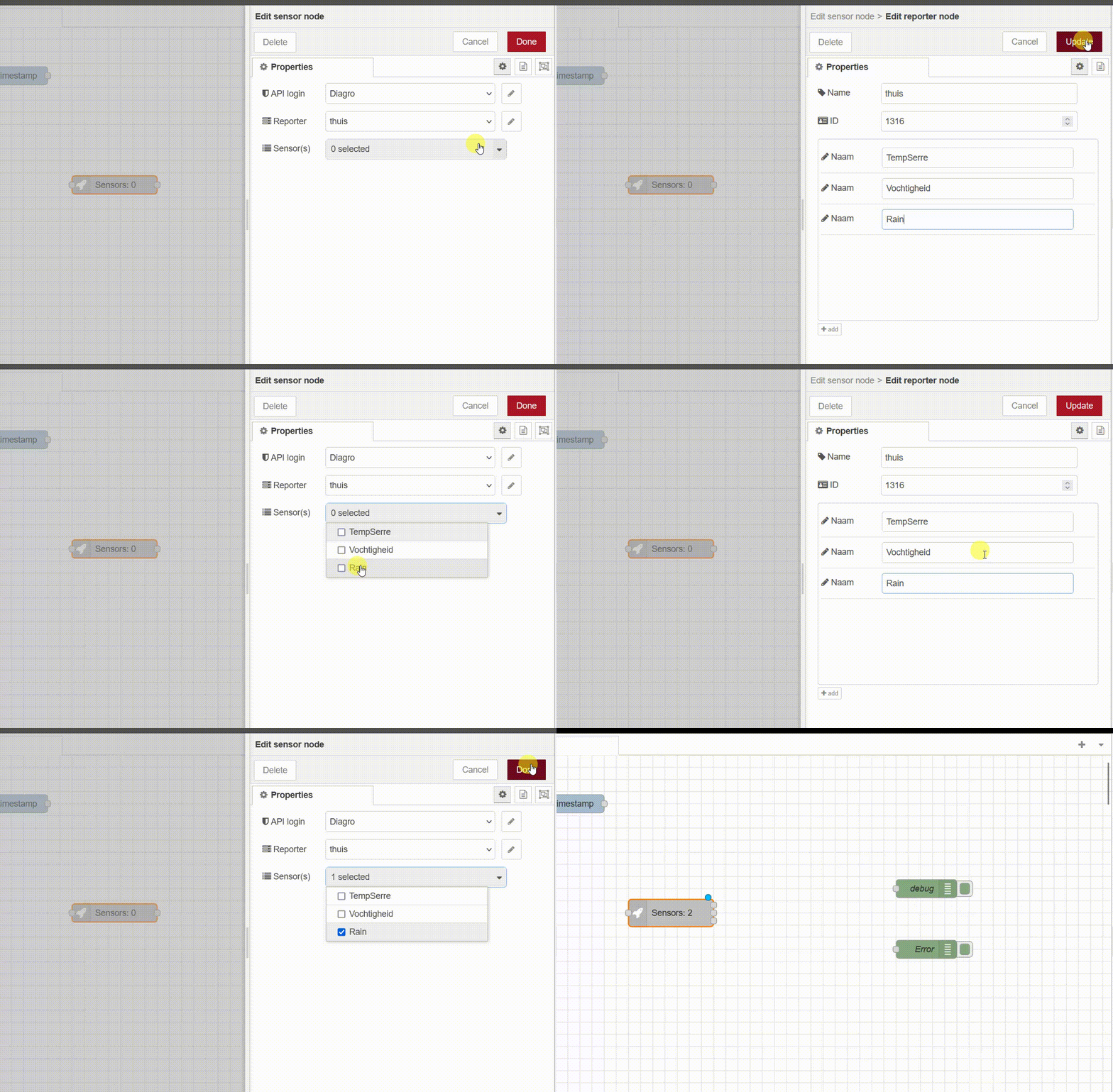
Works with setTimeout
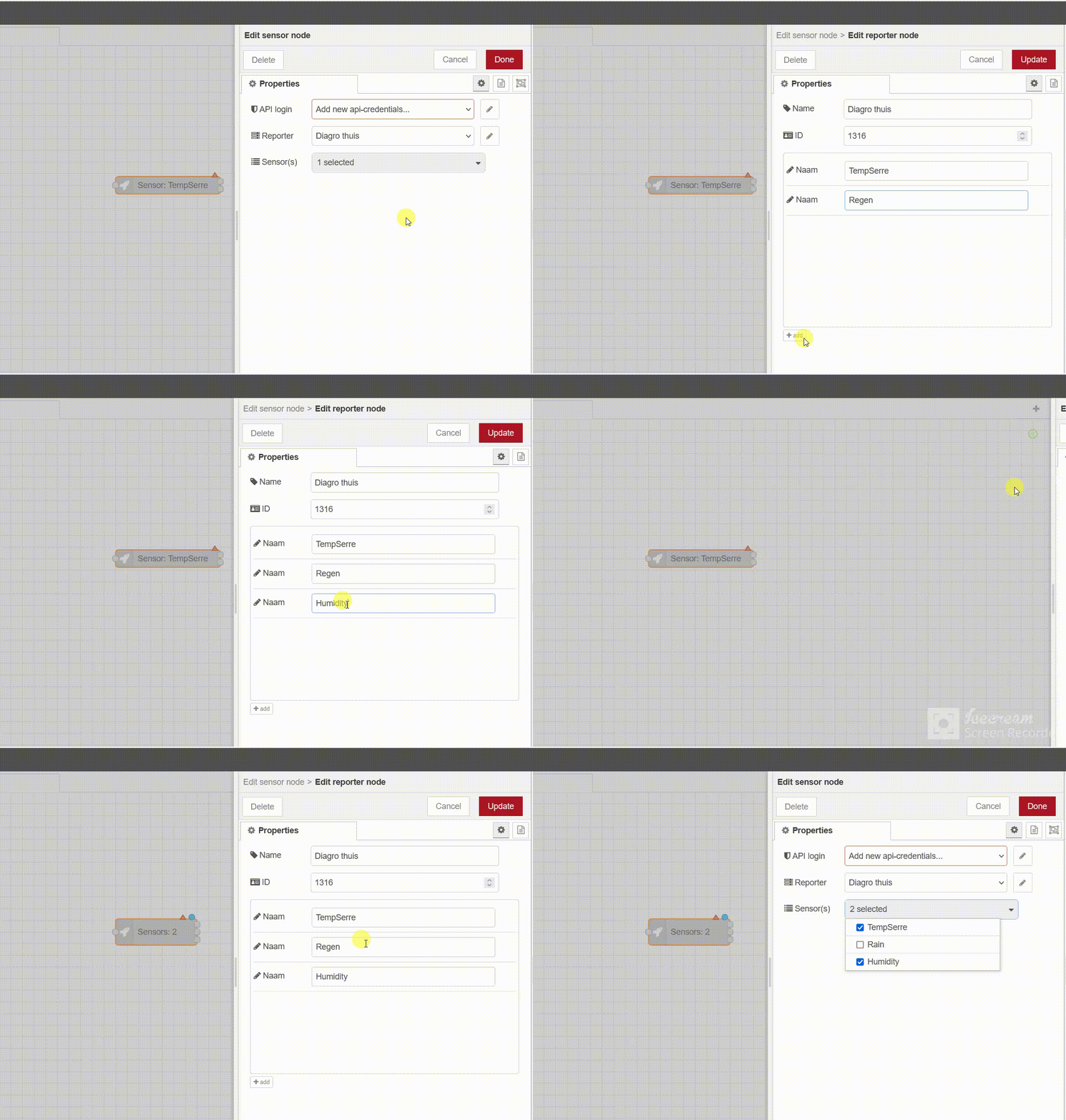
Example flow
No response
Environment
- Node-RED version: 3.0.2
- Node.js version:14.18.1 and 16.16 (Docker)
- npm version:9.2.0
- Platform/OS: Windows 11 and Docker
- Browser: Chrome/Firefox
Source: node-red/node-red