Workaround for "Incompatible Vulkan driver found" (ICD)
Author: mmartialCreated Dec 22, 2021Updated Feb 4, 2026
LabelsDockerworkaround
Bug report
- AirSim Version/#commit: 4266b898ac5b20f35ebca3f2e3fa821b336dec69 (Dec 7)
- UE/Unity version: tested with 4.25.4 and after
- autopilot version: N/A
- OS Version: docker build on Ubuntu 20.04
What's the issue you encountered?
Following the instructions from https://microsoft.github.io/AirSim/docker_ubuntu/ and using a more recent version of UE (4.25).
When running ./run_airsim_image_source.sh airsim_source:4.27.2-cudagl10.2
and then trying /home/ue4/UnrealEngine/Engine/Binaries/Linux/UE4Editor
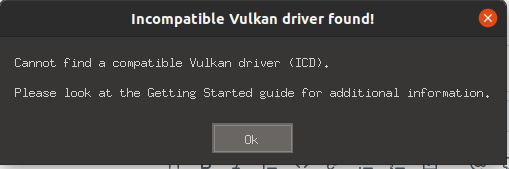
I am prompted with an Incompatible Vulkan driver found error with sub-message Cannot find a compatible Vulkan driver (ICD)
Settings
N/A
How can the issue be reproduced?
- build following https://microsoft.github.io/AirSim/docker_ubuntu/ instructions
- try to start
UE4Editorto test
Include full error message in text form
Incompatible Vulkan driver found error
sub-message Cannot find a compatible Vulkan driver (ICD)
What's better than filing an issue? Filing a pull request :).
This can be bypassed by mounting the ICD directory within the running container:
git diff ./run_airsim_image_source.sh
diff --git a/docker/run_airsim_image_source.sh b/docker/run_airsim_image_source.sh
index 39e9b9ed..3ad84441 100755
--- a/docker/run_airsim_image_source.sh
+++ b/docker/run_airsim_image_source.sh
@@ -54,6 +54,7 @@ done
 # and tell the docker container to execute UNREAL_BINARY_COMMAND
 $DOCKER_CMD -it \
     -v $(pwd)/settings.json:/home/airsim_user/Documents/AirSim/settings.json \
+    -v /usr/share/vulkan/icd.d:/usr/share/vulkan/icd.d \
     -e SDL_VIDEODRIVER=$SDL_VIDEODRIVER_VALUE \
     -e SDL_HINT_CUDA_DEVICE='0' \
     --net=host \
Hoping this helps others.
Source: microsoft/AirSim