Can't copy a photo from Apple Photos to a Cryptomator drive
Author: VincentBounceCreated Apr 25, 2023Updated Sep 15, 2026
Labelsos:macmount:fusestate:stale
Please agree to the following
- I have searched existing issues for duplicates
- I agree to follow this project's Code of Conduct
Summary
Can't copy a photo from Apple Photos to a Cryptomator drive
What software is involved?
- Operating System: macOS 13.3.1
- Cryptomator: 1.7.5
- macFUSE 4.4.3
This issue IS NOT the same issue with the Photo library described here.
Volume Type
macFUSE
Steps to Reproduce
- Open Apple Photos
- Reveal a drive from Cryptomator into Finder
- Drag and drop a photo from Apple Photo to Finder opened in [My Cryptomator folder]
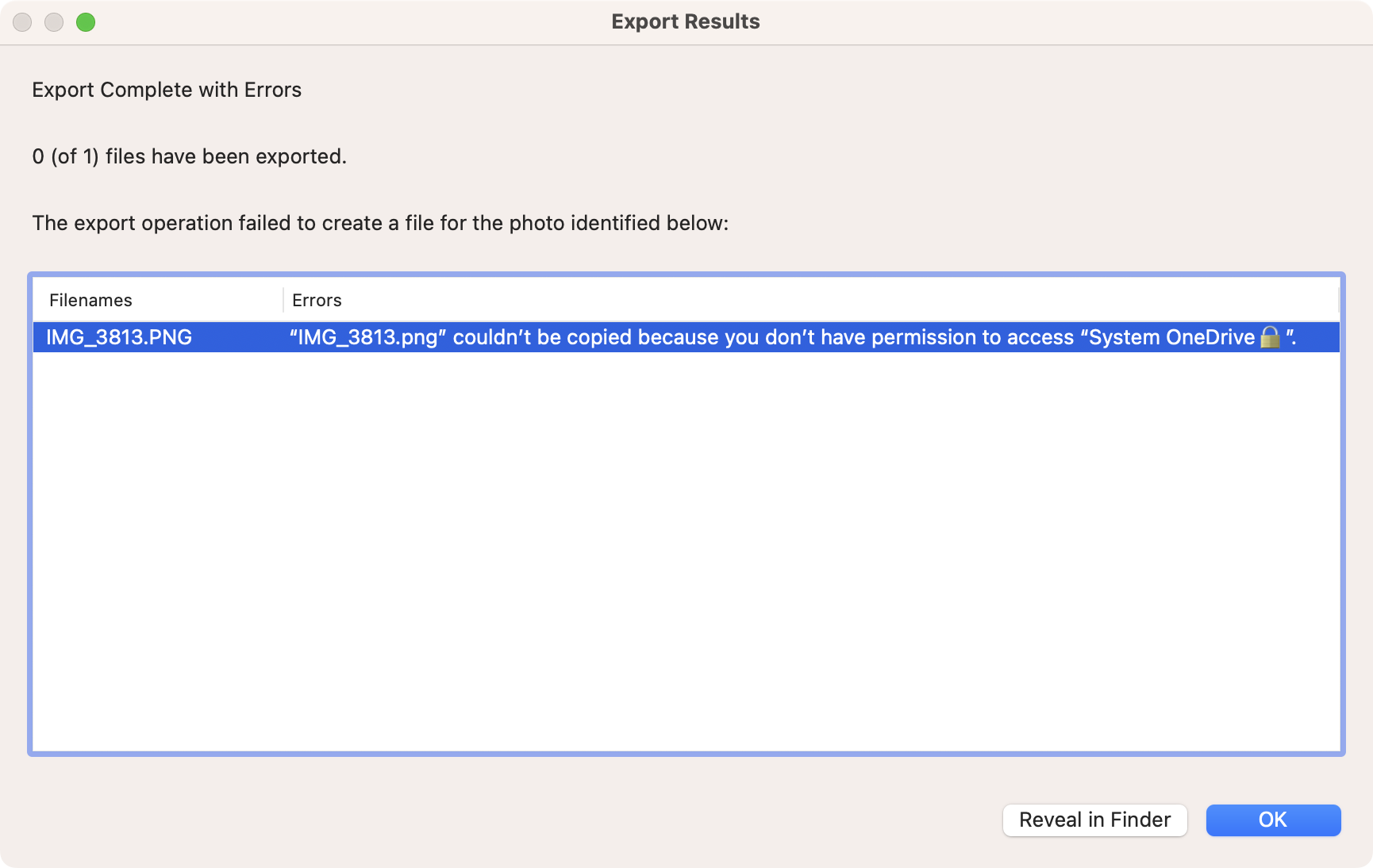
- Then you get this error message
Expected Behavior
The photo is copied properly as it is when you drag and drop from Apple Photos to any folder or flash drive opened into Finder.
Actual Behavior
"The export operation failed to create a file for the photo identified below: IMG_3813.png" couldn't be copied because you don’t have permission to access [My Cryptomator folder]."
Reproducibility
Always
Relevant Log Output
No response
Anything else?
No response
Source: cryptomator/cryptomator