Zero-Budget Web Dev: Moving from Discord/Drive to Google Sites
Welcome to part one! This is the start of a series where I’ll be posting about my webdev and HTML nightmares. I hope you enjoy the read as much as I hate User Interfaces! Consider this a shared space for learning—I’m sharing what I’ve learned so far, and I’d love to hear your thoughts or better solutions in the comments. To kick things off, let’s talk about how this whole mess started. As a solo developer, you want to spend 99% of your time actually building the things you love. So when it’s time to share builds with early playtesters, I naturally take the path of least resistance... a pinned link in a Discord channel and a shared Google Drive folder. And for a while, it works. Until it suddenly doesn't. The Problem: The "Easy way" Trap Privately, with a small group of alpha testers,...
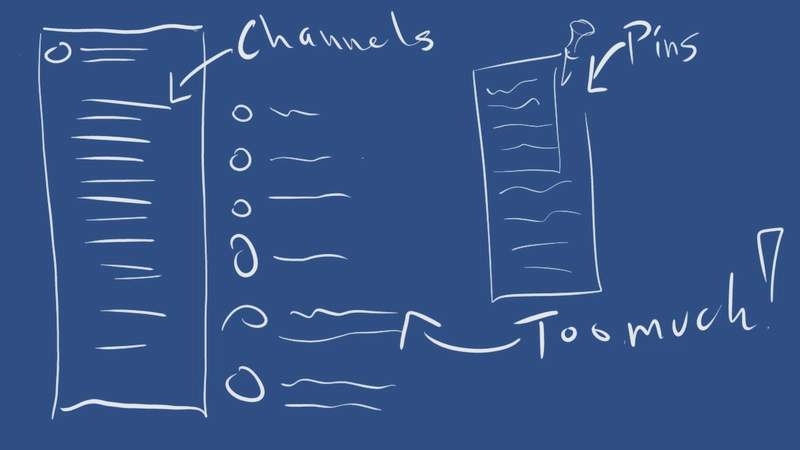
Welcome to part one! This is the start of a series where I’ll be posting about my webdev and HTML nightmares. I hope you enjoy the read as much as I hate User Interfaces! Consider this a shared space for learning—I’m sharing what I’ve learned so far, and I’d love to hear your thoughts or better solutions in the comments. To kick things off, let’s talk about how this whole mess started. As a solo developer, you want to spend 99% of your time actually building the things you love. So when it’s time to share builds with early playtesters, I naturally take the path of least resistance... a pinned link in a Discord channel and a shared Google Drive folder. And for a while, it works. Until it suddenly doesn't. The Problem: The "Easy way" Trap Privately, with a small group of alpha testers, Discord is great. You can pin messages, create specific channels, and guide people directly. But as soon as you want to go public, Discord becomes a nightmare for onboarding new users: The "Tutorial" Requirement: If a new user needs a 5-minute guide just to navigate your Discord server to find the launcher or the latest release, you’ve already lost them. Zero Discoverability: Discord is great for community and chat, but terrible as a public storefront or documentation hub. Searching for news, filtering updates, or finding launcher links creates massive friction. Lack of Professionalism: To offer real support, showcase features, and look trustworthy to a public audience, you need a single source of truth—not a maze of text channels lost to the void. I didn't have time to manage an overly complex custom web setup or pay high monthly SaaS fees, but I needed a clean, low-maintenance way to go public. Yes, I spent no more than thirty seconds drawing this on my Bamboo tablet: Why Google? (And the Launcher Evolution) Before even thinking about the website, I had to solve the distribution problem for my launcher. I experimented with several download pipeline prototypes: Git Repos / Diversion (for games) / Source control in general: Great for code, terrible for end-users who just want to click and play. OneDrive & Self-Hosted SSH Servers: Too clunky, overly complex to maintain, and lacked proper download resume functionality or hash diffing without building a massive backend infrastructure. Eventually, Google Drive API became the hero. It gave me reliable storage, easy access control, and seamless integration for the launcher's update system. Since my distribution ecosystem was already anchored in Google, it made sense to look at Google Sites when I needed a public web front. While researching frontend tools and wrestling with my nemesis (XAML and HTML), I kept comparing third-party web builders to Google Sites. Most SaaS builders cost $15–$30/month. As a solo dev on a budget who just wanted a fast, zero-cost, low-maintenance portal—Google Sites won. However... "Free and simple" comes with a cost. Fighting the Google Sites Iframe Sandbox Google Sites is great for basic drag-and-drop pages, but as soon as you try to build something custom with embedded HTML, you run straight into a wall of iframe security restrictions. Google Sites is amazingly smooth if you stick 100% to their default drag-and-drop elements. But as developers, we always want that extra layer of control—a custom button style, an embedded widget, or a tailored UI element. Naturally, I opened the "Embed HTML" block. And that's when I hit the iframe wall. Because Google Sites isolates all custom HTML inside a sandboxed , the browser treats your embedded code as an untrusted external frame. The Goal: I wanted custom HTML buttons that could navigate the main website seamlessly without reloading or opening new tabs. The Reality Check: Browsers block or calls inside sandboxed Google Sites iframes due to security policies. Standard navigation scripts just quietly fail or get blocked. The Workaround (External vs. Internal) Since I couldn't bypass browser security rules, I had to divide my navigation